[goal]
- git bash를 이용해서 저장소 복제 후 이클립스(eclipse)에 복제한 Repo_B 프로젝트를 import 할 것임.
[github repository]
1. 이미 만들어진 저장소 - Repo_A로 칭하겠음.
2. Repo A를 복제할 새로운 저장소 - Repo_B로 칭하겠음.
[Repository 복사 process]
0. git bash가 없다면 설치
- 64비트로 설치하면 됨. portable 말고 exe 실행파일로 다운로드 및 설치
Git
git-scm.com
1. 복제할 새로운 저장소 만들기 (Repo_B)

2. Repo_A URL 가져오기
- Code -> HTTPS의 링크(https://github.com/github아이디/Repo_A.git ) 복사
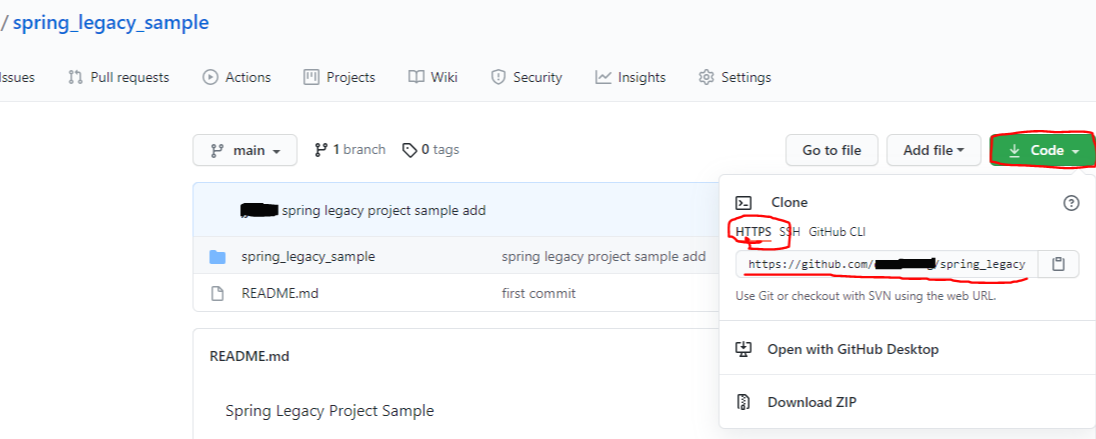
3. Repo_B URL 가져오기
- Code -> HTTPS의 링크(https://github.com/github아이디/Repo_B.git ) 복사하기
4. git bash 실행해서 다음 명령어 입력
//Repo_A의 URL
$git clone --mirror https://github.com/github아이디/Repo_A.git
$ git remote -v
//Repo_B의 URL
$git clone --mirror https://github.com/github아이디/Repo_B.git
$ git remote -v
$git push --mirror https://github.com/github아이디/Repo_B.git
==> Repo_A -> Repo_B로 복제 완료.
[이클립스 import process]
1. Eclipse Git Repositories
- git clone
- URI 에 Repo_B URL을 복사해서 붙여넣는다. ==> 저절로 Repository path까지 입력됨.
- github id, pw 넣고 진행


2. Eclipse project explorer
-> 마우스 우클릭
-> import
-> Git-Projects from Git(with smart import)-Existing local repository
-> Repo_B의 프로젝트 선택
'git' 카테고리의 다른 글
| [github] 이클립스에서 github 새 저장소에 프로젝트 연동하기 (0) | 2021.05.11 |
|---|
